
MangaNest:QToon Lite & Comic
QuanettemaComics
4.612.00 Reviews
- Version
- 1.6.21
- Installs
- 100.00K
- Age Rating
- Teen
Screenshots
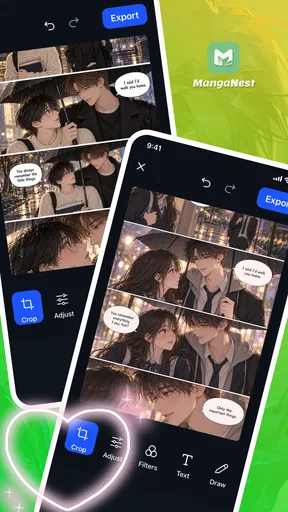
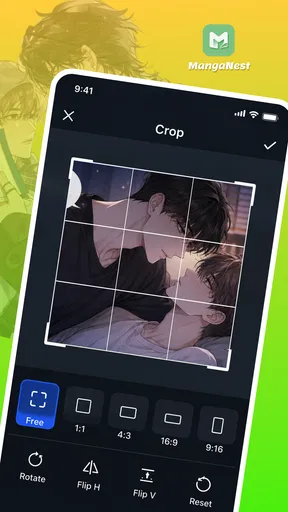
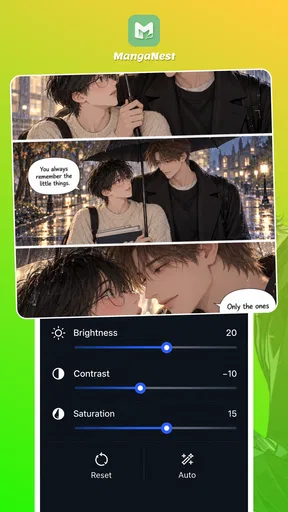
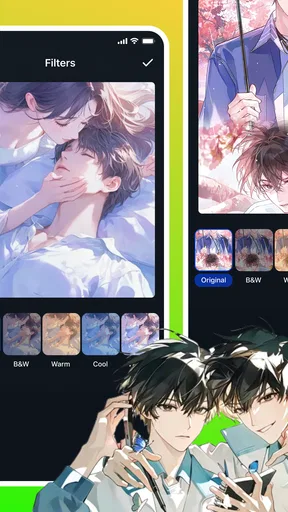
Our Review of MangaNest:QToon Lite & Comic
 Analysis by Appyee
I’d describe MangaNest: QToon Lite & Comic as a focused photo editor for people who want to give an image a manga-flavored finish without turning a quick edit into a full illustration project. Its tools center on cropping, filters, text, and drawing, so the appeal is less about building a comic from scratch and more about shaping a photo into something expressive and shareable. I like that clear purpose: it gives casual creators a manageable starting point, while also setting expectations about what kind of work it is suited to.
It is a free Comics app from Quanettema, currently at version 1.6.21, and it has a Teen content rating. The app has a 4.6 average from around 3,700 ratings and over 100,000 installs. Those figures suggest a useful level of interest, but they do not tell me whether the editing style will suit your taste. The practical question is whether a compact set of image tools is enough for the kind of manga-inspired posts, profile pictures, or playful panels you want to make.
When an edit gets stuck
The most common point of friction with a small creative editor is deciding what to do first. A photo can be cropped, filtered, labeled, and drawn over, but those choices affect one another. A filter may change the contrast that makes a handwritten accent visible; a tight crop may leave no room for a caption. I recommend starting with the image’s intended use rather than tapping through every effect. If you are making a square avatar, frame the face first. If you are making a comic-like image, leave breathing room for text before adding decoration.
Another potential snag is expecting a photo editor to behave like a full comic-layout studio. MangaNest is best approached as a way to stylize an existing image, not as a replacement for a drawing canvas with elaborate page planning. That distinction matters if you want multiple panels, carefully controlled speech balloons, or a finished comic page. For a single dramatic image or a small visual joke, its crop, filter, text, and drawing approach makes more sense.
When the result looks cluttered, I find it helpful to undo the last change and ask what the image needs most: stronger mood, clearer wording, or a hand-drawn touch. Adding all three at once can make the subject harder to read. A restrained edit often feels more intentional, especially on a phone screen where small lettering and fine strokes can disappear. The strongest use of MangaNest is a deliberate, image-first edit rather than piling on effects.
Start with the image, not the effects
Before editing, choose a photo with a clear subject and enough space around it for the crop you have in mind. That small decision saves time later: a face already close to the edge may be difficult to frame cleanly, while a busy background can compete with added text or drawing. If the source image is dark or blurry, a stylized treatment may make it more distinctive, but it cannot restore detail that is not there.
For a quick everyday example, imagine turning a friend’s pet photo into a comic-style reaction image. I would crop around the expression, try a filter that supports the mood, and add only a short caption or a few drawn marks. The key is to keep the face visible and the words easy to read. That workflow makes the editor useful for informal sharing without asking it to do the work of a dedicated graphic-design suite.
Check the basics before editing
If the app does not behave as expected, first confirm that the photo itself is available to the device and that you have selected the image you meant to edit. A mistaken source image can look like an editing problem when the real issue is simply that the wrong version was opened. It also helps to decide whether you want a close crop or a wider composition before applying text and drawing, since changing the framing afterward can disrupt the balance you have built.
Keep the original photo untouched if you may want to try a different look. A practical habit is to make a copy before experimenting, especially when you are testing several visual directions. That way, you can compare a clean source with the edited result instead of trying to reconstruct the original by memory. This is useful even in a simple workflow: creative edits often improve through comparison, not through adding more layers.
Text deserves a separate check before you consider an image finished. Read it at the size you expect people to see it, not only while zoomed in during editing. A caption that looks clear up close can become hard to read when displayed as a small feed image. The same applies to drawn details: bold accents tend to survive reduction better than tiny decorative lines. If the words are central to the joke or message, prioritize legibility over visual flourishes.
Recover a workflow without starting over
When an edit goes in the wrong direction, resist the urge to redo every step immediately. Identify the change that caused the problem: perhaps the crop removed useful context, the filter made the image too heavy, or the drawing obscured the subject. If the app offers a way to reverse an edit, use it to return to the last version that still worked. If not, reopening the original image or a saved copy is safer than stacking corrections on top of a result you already dislike.
A useful recovery method is to work in passes. First settle the framing. Then choose the overall visual treatment. Add text after the image’s mood is clear, and finish with drawing only where it contributes something specific. This order reduces rework because each pass has a defined job. It also makes it easier to tell whether a problem comes from the image itself or from one editing choice.
For a small comic-like post, I would keep a plain version alongside the decorated one until the final composition feels right. Compare them at ordinary viewing size. If the stylized version loses the expression, the message, or the main subject, simplify it. This is a practical trade-off: a strong filter can create atmosphere, but a lighter treatment may preserve more of the original photo’s personality.
Separate app friction from source-image problems
Not every disappointing result points to the editor. A photo with poor lighting, motion blur, or a crowded background can limit what any crop-and-filter workflow can achieve. Likewise, if text is difficult to read, the issue may be its length, placement, or contrast against the image rather than a fault in the app. Trying a cleaner source image or shortening the caption is often a better test than repeating the same edit.
Device conditions can also affect a creative session. If editing feels interrupted or sluggish, close other demanding tasks and reopen the image before making more changes. I would avoid treating one awkward session as proof that the app cannot handle the job. At the same time, if your work depends on detailed, precise drawing or a highly structured multi-panel layout, it is sensible to use a tool designed around those tasks instead of forcing a compact photo editor into that role.
It is also worth being realistic about the difference between a manga-inspired look and professional comic artwork. Filters and hand-drawn additions can create a recognizable mood, but the result still depends heavily on the original image and your choices. For polished publication, consistent lettering, complex page composition, or detailed character art, a dedicated illustration or layout app will offer a more suitable working environment. MangaNest makes more sense when speed and a playful finish matter more than extensive control.
Who will get the most from it
I would recommend MangaNest to someone who already has photos and wants to give them a comic-like personality without learning a large creative suite. It suits casual creators making reaction images, profile pictures, simple social posts, or small visual experiments. The combination of cropping, filters, text, and drawing covers the basic decisions those edits require, and the free price makes it easy to consider for occasional use.
It is less suitable for anyone whose main goal is to draw original manga from a blank page, design long comic strips, or manage a complex set of panels. People who need fine control over typography, layers, or print-oriented layout may be happier in a dedicated art or design editor. That is not a knock against this app; it is a reminder to match the tool to the job. A focused editor can be convenient precisely because it does not try to be everything.
Compared with a general photo editor, MangaNest’s distinctive value is its manga-inspired purpose: you are not just correcting an image but shaping it toward a particular visual tone. Compared with a full illustration app, it is the lighter option for edits based on photographs. That middle ground is useful, though it also means users should not expect the depth of a professional drawing workspace. The right choice depends on whether your starting point is a photo or a blank canvas.
A practical verdict for everyday use
My advice is to install MangaNest when you want a quick route from an ordinary photo to a playful comic-flavored image, and to keep your first project simple. Choose a clear subject, crop with the final display size in mind, use text sparingly, and add drawing only where it helps the image communicate. If the result feels messy, remove an element rather than adding another one. These small choices are more likely to improve the outcome than chasing a complicated effect.
The app’s 1.6.21 version is the current release, and its Teen rating is relevant for people choosing creative apps for younger users. I would still make that decision based on the person and how they plan to use any editing tool, rather than treating an age label as a recommendation by itself. For a casual photo-based project, the app’s scope is easy to understand; for a demanding illustration workflow, that same narrow focus becomes a limitation.
Overall, I see MangaNest as a handy, approachable option for turning existing pictures into manga-inspired edits, especially when the goal is a quick share rather than a finished comic production. Its best results come from thoughtful cropping and restraint, while its main drawback is that a compact photo-editing workflow cannot stand in for a full comic-creation toolkit. If that trade-off matches what you need, it is worth trying; if you want detailed drawing and page design, choose a more specialized alternative.
MangaNest is at its best when you bring a good photo and a clear idea. I would reach for it to make an expressive image, add a short line of text, or test a playful visual treatment. I would skip it for complex sequential storytelling or precision artwork. That is a fair, useful niche for a free Comics app, and it gives prospective users a clear sense of what they can reasonably expect.
Privacy and Permissions
See what permissions an app requests and how it handles your data.
- Photos/Media/Files
- read the contents of your USB storage, modify or delete the contents of your USB storage
- Storage
- read the contents of your USB storage, modify or delete the contents of your USB storage
- Wi-Fi connection information
- view Wi-Fi connections
- Other
- view network connections, full network access, control vibration, prevent device from sleeping, Google Play license check
Verdict
Strengths of MangaNest:QToon Lite & Comic
- A lightweight edition can suit devices with limited storage.
- Simple navigation makes it easy to browse the catalog.
- Reading progress helps you return to a series later.
- A range of titles can appeal to different comic readers.
- The compact app may run well on older phones.
Limitations of MangaNest:QToon Lite & Comic
- The available catalog may vary by region.
- Some titles may have inconsistent translation quality.
- Reading may require an internet connection.
- Ads can interrupt browsing or reading.
- The Lite edition may lack features found in the full app.
Similar Picks in This Category
View All
WEBTOON: Manga, Comics, Manhwa
NAVER WEBTOON4.6

MangaToon: Comic & Manga
MangaToon4.3

네이버 웹툰 - Naver Webtoon
NAVER WEBTOON4.3

Tapas – Comics and Novels
Tapas Entertainment Inc.4.2

Lezhin Comics - Daily Releases
LEZHIN ENTERTAINMENT3.3

WebComics - Webtoon & Manga
WEBCOMICS HOLDINGS HK LIMITED4.4
Frequently Asked Questions
What is MangaNest: QToon Lite & Comic?
MangaNest: QToon Lite & Comic is a mobile reading app for exploring digital comics, manga, and webtoon-style stories. Its catalog and available titles may vary by region and over time, so check the app’s current listings to see whether it has the genres and series you want. The “Lite” name suggests a streamlined experience, but it does not by itself guarantee specific performance or storage benefits.
Is MangaNest: QToon Lite & Comic free to use?
The app may be available to download without an upfront charge, but that does not necessarily mean every comic or feature is free. Access can depend on the app’s current pricing model, which may include ads, in-app purchases, subscriptions, or limits on reading. Review the store listing and the payment details shown in the app before purchasing anything, and check whether charges renew automatically.
Can I read comics offline in MangaNest: QToon Lite & Comic?
Offline reading depends on whether the app provides a download option for a particular title and whether that feature is available under your account or plan. Do not assume that opening a comic once saves it for later use without an internet connection. Look for download controls and any storage or access conditions, then test a downloaded chapter while offline before relying on it during travel.
Is MangaNest: QToon Lite & Comic safe for children?
Suitability depends on the content available in the catalog, which can include stories intended for different ages and audiences. Before a child uses the app, review its store age rating, available parental controls, and the ratings or descriptions attached to individual titles. Also consider whether ads, purchases, or account features are present, and supervise use when appropriate, since age ratings alone may not describe every story.
What should I check before installing MangaNest: QToon Lite & Comic?
Check that the app is offered for your device and operating-system version, and review its official store listing for the developer, permissions, privacy information, and recent updates. Confirm that the catalog is accessible in your country and that any costs or account requirements are acceptable. Download from an official app store where possible, and make sure your device has enough free space for the app and any comics you choose to save.
